
sl0ppij — an opinionated Zellij fork
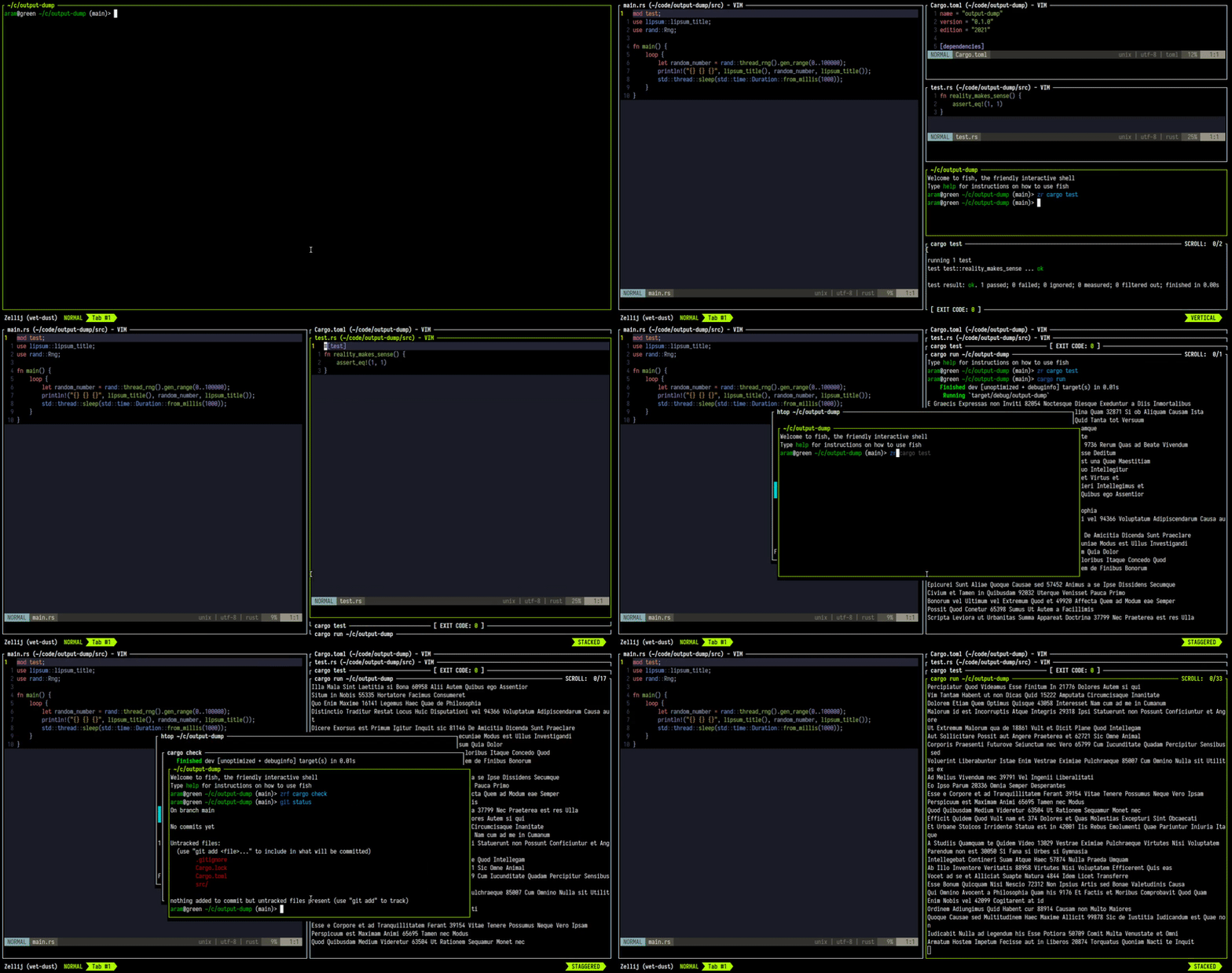
This is not upstream Zellij. It is a fork maintained at https://git.sl0p.foo/sl0ppij.git, tracking zellij-org/zellij with a small set of opinionated additions, mostly about how panes look.
Upstream's README follows below, unchanged.
What this fork adds
Everything lives in the existing ui { pane_frames { ... } } block, and every option
defaults to upstream behaviour — an unmodified config renders exactly as stock Zellij.
ui {
    pane_frames {
        // Where the pane title sits in the frame. Upstream hardcodes it flush
        // left for full frames. (Frameless mode already centred it.)
        title_alignment "center"        // "left" | "center" | "right"   (default: left)

        // Outer gap: real empty terminal between panes, WM style.
        // Expressed in ROWS. A pane insets right/bottom always and left/top
        // only at the screen edge, so two neighbours show exactly `gap`
        // between them -- not double -- and the screen edges match.
        gap 1                           // default: 0

        // Inner padding between a pane's frame and its content.
        // CSS-style shorthand, but the 4-value order is UP DOWN LEFT RIGHT,
        // deliberately NOT CSS's clockwise top-right-bottom-left:
        //   padding 1          all four sides
        //   padding 1 2        up/down = 1, left/right = 2
        //   padding 1 2 3 4    up=1 down=2 left=3 right=4
        padding 1                       // default: 0

        // Show no pane title until something actually names the pane: either
        // you rename it, or the running program sets a title. Upstream always
        // shows a "Pane #N" placeholder. Tracked as a flag rather than by
        // matching the string, so a program that genuinely titles itself
        // "Pane #3" is not mistaken for an unnamed pane.
        hide_default_pane_names true

        // Desaturate the CONTENT of unfocused panes, 0-100 (default 0 = off).
        // Colours are blended toward their own perceptual luminance, so an
        // unfocused pane keeps its brightness but drains of colour. This is
        // real colour transformation, not the SGR "faint" attribute.
        //
        // Cost: focus is per client, so clients can no longer share rendered
        // output and each renders separately. Fine for a single user, worth
        // knowing about in a multi-user session. Sixel/kitty IMAGES are not
        // affected and stay in colour.
        inactive_grayscale 85

        // Columns per row. Terminal cells are ~2x taller than they are wide, so
        // 1 row of gap needs ~2 columns to look like the same distance.
        // Applies to `gap`, and to the 1-value form of `padding`. The 2- and
        // 4-value padding forms are taken literally. Set to 1 to disable.
        gap_aspect 2                    // default: 2
    }
}
Drag a pane title to rearrange it
Dragging a tiled pane by its title bar and dropping it on another pane swaps the two, so panes can be rearranged with the mouse instead of only through MOVE mode.
The title bar EXCLUDING its corners is the move handle; the corners remain resize handles, so two-axis resize from the top still works. Plain top-edge resize is gone, which costs nothing in practice: every boundary is shared, so the boundary above a pane is the bottom edge of the pane above it and can be dragged from there.
While dragging, the pane the drop would land on is highlighted with the theme's
frame_highlight colour. Hovering back over the pane being dragged shows NO
highlight, because dropping onto itself does nothing - the absence of a highlight
is the signal that releasing there changes nothing.
Dropping a pane on itself is a no-op, so a plain click still just focuses, and double-click-to-rename still works. Stacked panes are excluded — in a stack the title row is how you focus a member.
Double-click a pane title to rename it
Double-clicking the top edge of a pane's frame focuses that pane and drops straight into rename mode — the same state the rename keybind produces.
Frame corners are excluded (they are resize handles), and a single click on the top edge still starts the usual resize drag. Currently tiled panes only: on floating panes the title is the drag handle for moving the pane, so that path is left alone for now.
Also in the fork, not configurable:
- A compact scroll indicator (
↑42) in place of upstream'sSCROLL: 42/1000, shown only when actually scrolled up rather than whenever scrollback exists. sl0p.foobranding in the default tab-bar plugin.
Which changes apply live
config.kdl is watched, but only some things reach a running session:
| change | applies |
|---|---|
title_alignment, gap, padding, gap_aspect |
live, no restart |
rounded_corners, and other stock options |
live (upstream behaviour) |
| anything requiring a new binary | new session — a running server keeps its old inode |
Building
Upstream's [profile.release] uses fat LTO and codegen-units = 1, which costs ~3
minutes for a one-line change. For iteration use the fastdev profile added here —
same opt-level = 3, no LTO, parallel codegen, incremental cache kept:
cargo build --profile fastdev -p zellij     # ~3s incremental  -> target/fastdev/zellij
cargo build --release -p zellij             # ~3min            -> ship this one
See .fastfeedback/SPEED.md for narrow test commands, measured timings, and the
pre-existing test-failure baselines (this tree has failures that are not caused by
the fork — check against upstream/main before chasing one).
Known rough edges
gapandpaddingonly apply withpane_frame_style "full". With"titles"or"none"they are ignored: the cells around a pane's content there belong to the inter-pane boundary renderer (ui/boundaries.rs), and insetting into that region would leave cells nobody repaints (stale glyphs on resize) or paint over the boundaries themselves. Rather than half-apply, a frameless pane is simply not inset. Your config keeps its values; they just take effect if you switch back to full frames.- Floating panes get
paddingbut nogap: they are positioned explicitly, so an inter-pane gap does not apply. - Stacked panes apply the gap uniformly; stack header spacing may look slightly off at larger gaps.
- The fork's options are not exposed over the plugin protobuf API. Plugins have no
use for them and adding proto fields would mean regenerating the committed prost
assets in
zellij-utils/assets/prost/.
Version string
Fork builds report a +sl0pN build-metadata suffix, so zellij --version is
distinguishable from upstream:
$ zellij --version
zellij 0.45.0+sl0p1
Build metadata rather than a -sl0pN prerelease on purpose: cargo ignores build
metadata when matching version requirements, so the intra-workspace
zellij-utils = "0.45.0" dependencies still resolve. A prerelease suffix does not,
and would require editing every member manifest.
Bump the suffix per published fork build; reset to 1 when rebasing onto a new
upstream release. Note that a version bump changes ZELLIJ_PLUGIN_ARTIFACT_DIR, so
the bundled wasm plugins are recompiled once on first run.
Staying current with upstream
origin     ssh://git@git.sl0p.foo:39327/srv/git/sl0ppij.git   (this fork; main = fork work)
upstream   https://github.com/zellij-org/zellij.git           (vanilla)
The local main branch is kept clean on upstream/main so fork commits can be rebased
onto new Zellij releases.

Zellij
[Installation] [Screencasts & Tutorials] [Configuration] [Layouts] [FAQ]



What is this?
Zellij is a workspace aimed at developers, ops-oriented people and anyone who loves the terminal. Similar programs are sometimes called "Terminal Multiplexers".
Zellij is designed around the philosophy that one must not sacrifice simplicity for power, taking pride in its great experience out of the box as well as the advanced features it places at its users' fingertips.
Zellij is geared toward beginner and power users alike - allowing deep customizability, personal automation through layouts, true multiplayer collaboration, unique UX features such as floating and stacked panes, and a plugin system allowing one to create plugins in any language that compiles to WebAssembly.
Zellij includes a built-in web-client, making a terminal optional.
You can get started by installing Zellij and checking out the Screencasts & Tutorials.
For more details about our future plans, read about upcoming features in our roadmap.
How do I install it?
The easiest way to install Zellij is through a package for your OS.
If one is not available for your OS, you could download a prebuilt binary from the latest release and place it in your $PATH. If you'd like, we could automatically choose one for you.
You can also install (compile) with cargo:
cargo install --locked zellij
Try Zellij without installing
bash/zsh:
bash <(curl -L https://zellij.dev/launch)
fish/xonsh:
bash -c 'bash <(curl -L https://zellij.dev/launch)'
Installing from main
Installing Zellij from the main branch is not recommended. This branch represents pre-release code, is constantly being worked on and may contain broken or unusable features. In addition, using it may corrupt the cache for future versions, forcing users to clear it before they can use the officially released version.
That being said - no-one will stop you from using it (and bug reports involving new features are greatly appreciated), but please consider using the latest release instead as detailed at the top of this section.
How do I start a development environment?
- Clone the project
- In the project folder, for debug builds run:
cargo xtask run - To run all tests:
cargo xtask test
For more build commands, see CONTRIBUTING.md.
Configuration
For configuring Zellij, please see the Configuration Documentation.
About issues in this repository
Issues in this repository, whether open or closed, do not necessarily indicate a problem or a bug in the software. They only indicate that the reporter wanted to communicate their experiences or thoughts to the maintainers. The Zellij maintainers do their best to go over and reply to all issue reports, but unfortunately cannot promise these will always be dealt with or even read. Your understanding is appreciated.
Roadmap
Presented here is the project roadmap, divided into three main sections.
These are issues that are either being actively worked on or are planned for the near future.
If you'll click on the image, you'll be led to an SVG version of it on the website where you can directly click on every issue
Origin of the Name
From Wikipedia, the free encyclopedia
Zellij (Arabic: الزليج, romanized: zillīj; also spelled zillij or zellige) is a style of mosaic tilework made from individually hand-chiseled tile pieces. The pieces were typically of different colours and fitted together to form various patterns on the basis of tessellations, most notably elaborate Islamic geometric motifs such as radiating star patterns composed of various polygons. This form of Islamic art is one of the main characteristics of architecture in the western Islamic world. It is found in the architecture of Morocco, the architecture of Algeria, early Islamic sites in Tunisia, and in the historic monuments of al-Andalus (in the Iberian Peninsula).
License
MIT
